

Before risking real money in the forex market, every trader should spend time practicing.
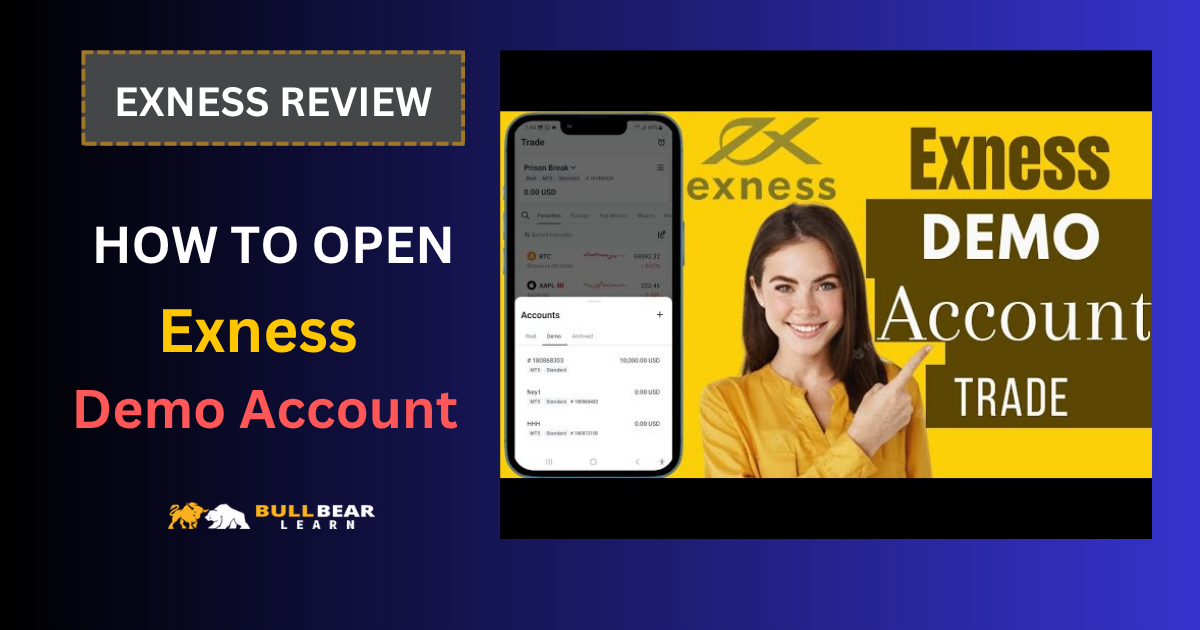
A demo account allows you to trade using virtual funds while experiencing real market prices and trading platforms. It’s one of the safest ways to learn how forex trading works, test new strategies, and become familiar with order execution before moving to a live account.
Exness offers free demo accounts for both beginner and experienced traders. Whether you’re learning the basics of MetaTrader or developing an automated trading strategy, a demo account provides a realistic trading environment without financial risk.
Before opening a live account, compare every available option in our Exness Account Types guide to choose the account that matches your trading goals.
In this guide, we’ll explain how the Exness Demo Account works, its advantages and limitations, how to open one, and when you’re ready to transition to live trading.
If you’re still deciding whether Exness is the right broker, start with our comprehensive Exness Review, where we cover regulation, trading platforms, fees, and account types.
Exness Demo Account at a Glance
| Feature | Details |
|---|---|
| Cost | Free |
| Virtual Funds | Yes |
| Real Market Prices | Yes |
| Risk to Your Money | None |
| Platforms | MT4 & MT5 |
| Time Limit | Depends on account activity and platform |
| Best For | Beginners, strategy testing, EA testing |
Our Take
The Exness Demo Account is one of the easiest ways to gain practical trading experience without financial pressure.
Unlike simply watching charts or reading trading books, a demo account allows you to place real orders, manage positions, test indicators, and learn how the trading platform functions under live market conditions.
While demo trading can never fully replicate the psychological pressure of risking real money, it remains an essential step for beginners and a valuable testing environment for experienced traders.
What Is an Exness Demo Account?
A demo account is a simulated trading account that mirrors real market conditions while using virtual funds instead of real money.
Prices, spreads, and chart movements are based on live market data, allowing traders to experience realistic trading conditions without exposing their capital to risk.
The purpose of a demo account is educational rather than profitable.
It allows traders to:
- Learn how MT4 and MT5 work.
- Practice placing market and pending orders.
- Test technical indicators.
- Develop risk management skills.
- Evaluate Expert Advisors (EAs).
- Practice new trading strategies.
Because no real money is involved, traders can experiment freely and build confidence before opening a live account.
Demo Account vs Live Account
Many beginners assume that demo trading and live trading are identical.
While they are very similar technically, there are several important differences.
| Feature | Demo Account | Live Account |
|---|---|---|
| Real Money | ❌ No | ✅ Yes |
| Virtual Balance | ✅ Yes | ❌ No |
| Market Prices | ✅ Live | ✅ Live |
| Emotional Pressure | Very Low | High |
| Financial Risk | None | Yes |
| Profit & Loss | Virtual | Real |
The trading platform behaves almost the same in both environments, but the biggest difference is psychological.
Managing virtual money is much easier than managing your own capital, which is why many traders perform well on demo accounts but struggle once they begin trading live.
Why Use an Exness Demo Account?
A demo account isn’t only for beginners.
Experienced traders also use demo accounts to test new ideas before applying them in live markets.
Some of the biggest advantages include:
Learn Without Financial Risk
Mistakes are inevitable when learning to trade.
A demo account allows you to make those mistakes without losing real money.
Become Familiar with MT4 and MT5
New traders often need time to understand:
- Order types
- Chart tools
- Indicators
- Timeframes
- Stop Loss and Take Profit
- Position sizing
Learning these features on a demo account reduces the chance of costly errors later.
If you’re planning to trade on MetaTrader, our guides to the Exness Standard Account and Exness Pro Account explain which live account is best for different experience levels.
Test Trading Strategies
Before risking real capital, many traders test:
- Price Action strategies
- Moving Average systems
- Breakout strategies
- Scalping techniques
- Swing trading methods
Testing helps identify weaknesses and improve consistency.
Practice Risk Management
A demo account is an excellent place to build good habits, including:
- Setting Stop Loss orders
- Following position sizing rules
- Managing leverage responsibly
- Recording trades in a journal
Developing these habits early makes the transition to live trading much smoother.
How to Open an Exness Demo Account
Creating an Exness Demo Account is a straightforward process and only takes a few minutes.
You don’t need to deposit real money to begin practicing, making it an ideal starting point for new traders.
Follow these steps:
- Visit the Exness website and create a Personal Area.
- Verify your email address and phone number if required.
- Log in to your Personal Area.
- Select Open New Account.
- Choose Demo Account.
- Select your preferred platform (MT4 or MT5).
- Configure your account settings, including leverage, account currency, and virtual balance.
- Start trading using your demo credentials.
Once your demo account has been created, you can log in to MT4 or MT5 and begin practicing immediately.
Can You Have More Than One Demo Account?
Yes.
Exness allows traders to create multiple demo accounts, making it easier to test different trading strategies under separate conditions.
For example, you might use:
- One account for swing trading.
- One account for scalping.
- One account for Expert Advisors (EAs).
- One account for learning new indicators.
Keeping strategies separate makes performance analysis much more meaningful.
Does the Demo Account Use Real Market Prices?
Yes.
Exness Demo Accounts use live market quotes, allowing traders to experience price movements that closely reflect real trading conditions.
This makes the demo environment useful for:
- Technical analysis
- Strategy testing
- Chart pattern recognition
- Learning order execution
- Practicing trade management
However, there are still some differences between demo and live trading.
Demo Trading vs Live Trading
Although market prices are similar, demo trading cannot perfectly replicate a live trading environment.
No Emotional Pressure
The biggest difference is psychology.
When trading virtual funds, losses have no financial consequences.
As a result, traders often:
- Take larger risks.
- Ignore their trading plans.
- Overtrade.
- Hold losing positions longer than they would in a live account.
These habits can become problematic after switching to real-money trading.
Order Execution May Differ
During periods of high market volatility, execution on a live account may differ slightly from what traders experience in a demo environment.
Factors such as market liquidity and execution speed can affect real trades.
For this reason, traders should treat demo results as a useful guide rather than a guarantee of future performance.
Risk Management Still Matters
Many traders use demo accounts simply to experiment.
A better approach is to practice exactly as you intend to trade with real money.
That means:
- Using realistic position sizes.
- Setting Stop Loss orders.
- Following a trading plan.
- Keeping a trading journal.
- Managing leverage responsibly.
Building these habits early makes the transition to live trading much smoother.
When Should You Switch to a Live Account?
There isn’t a universal timeline.
Some traders move to a live account after a few weeks, while others spend several months practicing.
Instead of focusing on time, consider switching only after you can consistently demonstrate:
- A profitable trading strategy.
- Consistent risk management.
- Emotional discipline.
- Confidence using the trading platform.
- A written trading plan.
Once these foundations are in place, opening a small live account is often the next logical step.
Common Mistakes When Using a Demo Account
Treating Virtual Money Like Monopoly Money
Because there is no financial risk, many traders ignore proper money management.
This creates unrealistic expectations that rarely transfer well to live trading.
Using Unrealistic Position Sizes
Opening extremely large positions simply because the money is virtual teaches bad habits.
Practice using position sizes that you would realistically trade with your own capital.
Constantly Changing Strategies
Testing a new strategy every few days makes it difficult to evaluate long-term performance.
Instead, give each strategy enough trades before deciding whether it works.
Ignoring Trading Psychology
A demo account cannot fully reproduce the emotional challenges of live trading.
Be prepared for fear, greed, and hesitation once real money is involved.
Is the Exness Demo Account Worth Using?
Absolutely.
Whether you’re completely new to forex trading or an experienced trader developing a new strategy, the Exness Demo Account provides a safe environment for learning and experimentation.
The ability to trade using live market prices without risking real capital makes it one of the most valuable educational tools available.
Just remember that consistent profitability on a demo account doesn’t automatically guarantee success in live trading.
The psychological aspect of trading becomes much more significant once your own money is at risk.
Our Take
The Exness Demo Account is an excellent starting point for beginners and a practical testing environment for experienced traders.
It offers realistic market data, supports both MT4 and MT5, and allows traders to practice without financial pressure.
To get the most value from a demo account, treat it as seriously as a live account.
Follow your trading plan, manage risk carefully, and develop disciplined habits that you can carry into real-money trading.
Final Verdict
The Exness Demo Account is one of the easiest ways to gain hands-on trading experience before committing real capital.
It provides access to live market prices, professional trading platforms, and virtual funds, allowing traders to learn, test, and improve without financial risk.
If you’re new to forex trading, spending time on a demo account can significantly shorten your learning curve.
And if you’re already an experienced trader, it remains an excellent environment for testing new ideas before applying them to a live account.
Ready to move from practice to live trading? Open your Exness account, start with a demo to build confidence, then switch to a live account when you’re ready to trade with real market opportunities.
Frequently Asked Questions
Is the Exness Demo Account free?
Yes. Exness provides demo accounts free of charge.
Do I need to deposit money to use a demo account?
No. Demo accounts use virtual funds, so no real-money deposit is required.
Can I use MT4 and MT5 with an Exness Demo Account?
Yes. Demo accounts are available on both MetaTrader 4 and MetaTrader 5.
Does the demo account use real market prices?
Yes. Prices are based on live market data, although execution conditions may differ slightly from live trading.
Can I have multiple Exness Demo Accounts?
Yes. Many traders create separate demo accounts to test different strategies or trading styles.
How long can I use an Exness Demo Account?
This depends on account activity and platform policies. Active demo accounts are generally available for ongoing practice.
When should I switch to a live account?
Consider moving to a live account only after you have developed a consistent strategy, demonstrated disciplined risk management, and become comfortable using the trading platform.
Ready to Start Practicing?
A demo account is the best place to build confidence before risking real money.
Practice your strategy, become familiar with MT4 or MT5, and develop strong trading habits before opening a live account.
Open your free Exness Demo Account today and start learning in a realistic, risk-free trading environment.