

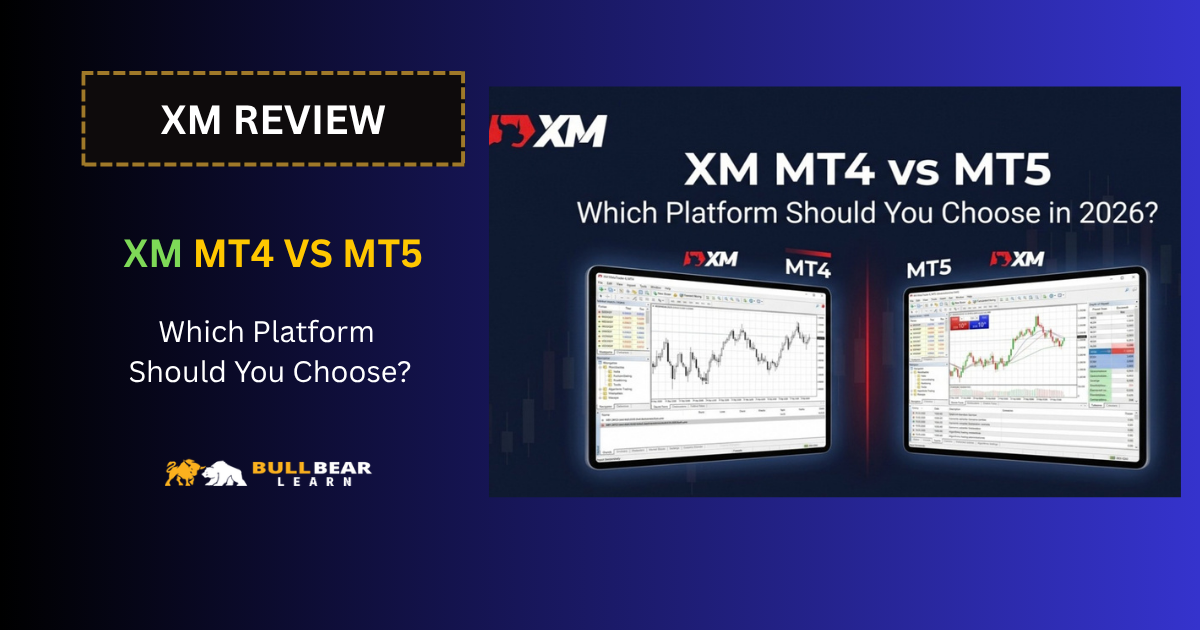
Choosing the right trading platform can make a noticeable difference to your day-to-day trading experience. At XM, traders can access MetaTrader 4 (MT4) and MetaTrader 5 (MT5), two platforms developed by MetaQuotes but designed with somewhat different priorities.
Both platforms support charting, technical analysis, one-click trading and Expert Advisors, so the choice is not simply about which platform has more features. The more useful question is which platform fits your trading style, experience level and preferred markets.
In this guide, we compare XM MT4 vs MT5 in 2026, including their charts, indicators, trading tools, Expert Advisors, device support, usability and suitability for different types of traders.
XM MT4 vs MT5 at a Glance
| Feature | XM MT4 | XM MT5 |
|---|---|---|
| Platform focus | Forex-focused trading | Multi-asset trading |
| Technical indicators | 50+ indicators and charting tools | 58+ indicators and 44 analytical objects |
| Expert Advisors | Yes, using MQL4 | Yes, using MQL5 |
| One-click trading | Yes | Yes |
| Desktop trading | Yes | Yes |
| Mobile trading | Yes | Yes |
| WebTrader | Available | Available |
| Learning curve | Generally simpler | More extensive feature set |
| Best suited to | Forex-focused traders | Traders wanting broader platform functionality |
XM currently promotes both MT4 and MT5 as trading platforms and provides access across desktop and mobile devices. XM’s MT5 offering also includes a WebTrader option and Mac support on its platform page.
The biggest practical difference is that MT4 remains a streamlined and widely used Forex platform, while MT5 provides a broader multi-asset environment with more analytical functionality.
Neither platform is automatically the right choice for every XM trader.
What Is XM MT4?
MetaTrader 4 is one of the most established retail trading platforms in the Forex industry.
XM’s MT4 platform provides access to charting tools, technical indicators, one-click trading and Expert Advisors. XM currently advertises more than 50 indicators and charting tools on its MT4 platform page.
MT4 is particularly familiar to Forex traders because of its relatively straightforward interface and large ecosystem of indicators, templates and Expert Advisors.
Why Do Traders Still Use MT4?
One of MT4’s biggest advantages is simplicity.
A trader who mainly follows currency pairs, applies technical analysis and occasionally uses an Expert Advisor may not need all of the additional functionality available on MT5.
MT4 can therefore be attractive to:
- Forex beginners
- Price action traders
- Technical traders
- Scalpers
- Traders who already have MT4 indicators or EAs
- Traders who prefer a familiar interface
- Traders whose strategy is primarily focused on currency pairs
Another important consideration is compatibility.
If you already use an MT4 Expert Advisor or custom indicator, moving to MT5 is not necessarily a simple matter of installing the same file. MT4 and MT5 use different programming languages, with MT4 using MQL4 and MT5 using MQL5. XM provides separate documentation for each platform.
What Is XM MT5?
MetaTrader 5 is the newer-generation platform in the MetaTrader family.
XM positions MT5 as a multi-asset trading platform with a broader set of analytical tools. Its current platform information lists more than 58 indicators and 44 analytical objects.
MT5 retains many of the familiar concepts found in MT4 while expanding the platform’s functionality.
It can therefore be interesting for traders who want:
- More advanced charting functionality
- A larger selection of analytical tools
- A broader multi-asset environment
- More extensive order functionality
- Modern algorithmic trading capabilities
- A platform they can potentially continue using as their trading requirements expand
XM currently offers MT5 for desktop, mobile and WebTrader, with Mac support also listed on its official MT5 page.
XM MT4 vs MT5: The Main Differences
The two platforms look similar at first, but there are several meaningful differences.
1. Platform Design and Market Focus
MT4 was built primarily around Forex trading.
MT5 was designed as a broader multi-asset platform. This distinction matters if you intend to trade markets beyond traditional currency pairs.
XM’s current website describes MT5 as a multi-asset platform, while MT4 is presented as its established trading platform with a strong Forex orientation.
For someone whose entire strategy revolves around EUR/USD, GBP/USD, USD/JPY and other currency pairs, MT4 may already provide everything necessary.
For someone who wants a more extensive trading environment, MT5 may make more sense.
2. Indicators and Analytical Tools
Both platforms provide technical analysis tools, but MT5 offers a larger selection.
XM currently lists:
- MT4: 50+ indicators and charting tools
- MT5: 58+ indicators and 44 analytical objects
These figures describe the tools promoted by XM on its current platform pages and can change as the platform or broker offering develops.
For a basic technical-analysis strategy, the difference may not matter much.
A trader using moving averages, RSI, MACD, support and resistance may find either platform sufficient.
However, traders who rely heavily on multiple analytical objects and more advanced chart analysis may prefer the additional functionality available through MT5.
3. Expert Advisors and Automated Trading
Both XM MT4 and MT5 support Expert Advisors, allowing traders to automate strategies.
However, the programming environment is different.
| Feature | MT4 | MT5 |
|---|---|---|
| Expert Advisors | Yes | Yes |
| Programming language | MQL4 | MQL5 |
| Custom indicators | Yes | Yes |
| Automated strategies | Yes | Yes |
| Existing MT4 EA compatibility | Native | Not directly compatible |
This last point is important.
An EA developed specifically for MT4 cannot simply be assumed to work on MT5. The underlying programming environments are different.
Therefore, if you already have a collection of MT4 robots or indicators, changing platforms may require additional work.
On the other hand, if you are starting from scratch and want to develop new automated strategies, MT5 gives you access to its MQL5 ecosystem.
XM MT4 vs MT5 for Forex Trading
For pure Forex trading, the choice is less obvious than the platform-generation difference might suggest.
MT4 remains highly relevant because Forex traders generally do not need an enormous number of platform features to execute a strategy.
For example, a discretionary Forex trader may only need:
- Multiple charts
- Technical indicators
- Trendlines
- Support and resistance tools
- Market orders
- Pending orders
- Stop-loss and take-profit
- Expert Advisor support
MT4 already provides these core capabilities.
MT5 can provide additional functionality, but more features do not automatically translate into better trading results.
Your strategy, risk management and execution discipline remain much more important than whether you use MT4 or MT5.
XM MT4 vs MT5 for Gold Trading
Gold traders may also use either platform, depending on which platform is supported by their XM account and the instruments available to their specific entity.
For XAU/USD traders, the important platform features are generally:
- Fast order execution
- Reliable charts
- Multiple timeframes
- Technical indicators
- One-click trading
- Stop-loss and take-profit management
- Ability to monitor volatility
Both MT4 and MT5 can provide the core functionality required for this type of trading.
However, gold can experience significant volatility around economic releases and major market events. Platform selection should therefore not be treated as a substitute for proper position sizing and risk management.
If your main concern is the trading cost of gold rather than the platform itself, it is more useful to examine the account’s spreads and other trading costs.
XM MT4 vs MT5 for Scalping
Scalpers often prefer a trading environment that is simple and responsive.
MT4 can be attractive because its interface is familiar to a large number of Forex traders and provides the essential tools required for short-term trading.
MT5 can also be used for scalping and provides additional analytical functionality.
The more important factors are usually:
- Spread
- Execution conditions
- Liquidity
- Market volatility
- Trading hours
- Order management
- Internet connection
- Position sizing
- Risk controls
In other words, switching from MT4 to MT5 is unlikely to transform an unsuccessful scalping strategy into a successful one.
The platform should support your strategy rather than become the strategy itself.
XM MT4 vs MT5 for Beginners
For a complete beginner, MT4 may initially feel easier because its core interface is relatively straightforward.
A beginner can start with a small set of tools:
- One or two currency pairs
- One primary timeframe
- A basic chart layout
- A few technical indicators
- Simple stop-loss and take-profit rules
MT5 may appear more complicated because it offers more analytical functionality.
However, that does not mean beginners should automatically avoid MT5.
If you are learning from scratch and expect to eventually explore a broader range of instruments or more advanced analytical tools, starting with MT5 may allow you to become familiar with a more comprehensive environment from the beginning.
The better approach is to choose the platform you can understand and use consistently.
XM MT4 vs MT5 for Experienced Traders
Experienced traders may have a different priority.
Instead of asking which platform is easier, they may care more about:
- Existing indicators
- Expert Advisor compatibility
- Automated strategies
- Charting requirements
- Market coverage
- Order management
- Custom programming
- Multi-asset trading
This is where MT5’s additional functionality can become more relevant.
However, an experienced trader with a mature MT4-based system may have little reason to switch simply because MT5 is newer.
Compatibility with an existing trading workflow can be more important than having the newest platform.
XM MT4 vs MT5: Mobile and Web Trading
XM supports mobile trading through both MT4 and MT5.
The platforms are useful when you need to monitor positions or manage trades away from your main computer.
MT5 additionally has a WebTrader option listed directly on XM’s current platform page, allowing traders to access the platform through a browser without relying exclusively on desktop software.
However, mobile platforms should generally be viewed as complementary tools rather than replacements for a complete trading workstation.
For detailed chart analysis, strategy development and EA management, desktop platforms remain more practical.
For monitoring positions, checking prices and managing existing trades, mobile applications can be much more convenient.
Can You Switch from XM MT4 to MT5?
Switching platforms may be possible, but traders should not assume that everything transfers automatically.
Before changing platforms, check:
- Whether your XM account supports the desired platform
- Whether your preferred instruments are available
- Whether your indicators are compatible
- Whether your Expert Advisors need to be converted
- Whether your trading history needs to remain accessible
- Whether your account conditions differ between available options
This is particularly important for automated traders.
If your strategy depends on a specific MT4 EA, moving to MT5 may require a separate MQL5 version or redevelopment.
XM MT4 vs MT5: Which One Should You Choose?
There is no universal answer.
Consider XM MT4 if you:
- Mainly trade Forex
- Prefer a simpler trading environment
- Already use MT4 indicators or EAs
- Want a familiar platform
- Do not need the additional functionality of MT5
Consider XM MT5 if you:
- Want a broader multi-asset environment
- Prefer more analytical tools
- Are starting a new automated trading project
- Want access to MQL5
- Expect your trading requirements to become more advanced
- Prefer a newer-generation MetaTrader environment
The decision should ultimately be based on your actual trading workflow rather than the idea that one platform is automatically superior.
XM MT4 vs MT5: Pros and Cons
XM MT4 Pros
- Familiar to a large Forex trading community
- Straightforward interface
- Strong Forex focus
- Supports Expert Advisors
- Supports custom indicators
- Available on desktop and mobile
- Suitable for many discretionary trading strategies
XM MT4 Cons
- Less extensive analytical functionality than MT5
- Older programming environment
- MT4 EAs and MT5 EAs are not directly interchangeable
- May be less suitable if you want a broader multi-asset workflow
XM MT5 Pros
- Broader multi-asset design
- More analytical tools
- Supports Expert Advisors
- Uses MQL5
- Available across desktop, mobile and WebTrader
- Suitable for traders who want a more extensive platform
XM MT5 Cons
- Can feel more complex to beginners
- Existing MT4 indicators and EAs may require separate versions
- Additional features may be unnecessary for a simple Forex strategy
XM MT4 vs MT5: Final Thoughts
The choice between XM MT4 and MT5 should come down to what you actually need from a trading platform.
MT4 remains a practical choice for Forex-focused traders who value familiarity and simplicity. MT5 offers a broader feature set and a more extensive analytical environment for traders who want additional functionality.
If you are opening your first XM account, there is no need to choose a platform simply because it has more features. Start by identifying the markets you intend to trade, the indicators you need, whether you plan to use Expert Advisors and how much platform complexity you are comfortable with.
Before opening or changing an account, also check the platform and account conditions available through your specific XM entity, because products and conditions can vary by jurisdiction.
For a broader understanding of XM before making that decision, it is useful to review the broker’s account types, trading costs and minimum funding requirements alongside the platform itself.
Frequently Asked Questions
Is XM MT4 or MT5 better?
Neither platform is universally better. MT4 can be suitable for traders who mainly focus on Forex and prefer a familiar environment, while MT5 offers a broader range of analytical functionality and a multi-asset design.
Does XM support both MT4 and MT5?
Yes. XM currently provides both MT4 and MT5 platforms, although the exact availability of platforms, instruments and account conditions can depend on the XM entity and jurisdiction.
Can I use Expert Advisors on XM MT4?
Yes. XM’s MT4 platform supports Expert Advisors and provides access to MQL4-related resources.
Can I use Expert Advisors on XM MT5?
Yes. XM’s MT5 platform supports Expert Advisors and provides resources for the MQL5 programming language.
Are MT4 and MT5 Expert Advisors compatible?
No. MT4 and MT5 use different programming environments, so an EA designed for MT4 should not be assumed to work directly on MT5.
Which XM platform is better for beginners?
Both can work for beginners. MT4 may feel simpler for traders who only need basic Forex charting and execution, while MT5 may be worth learning if you want access to a broader set of features from the beginning.
Can I trade gold on XM MT4 and MT5?
XM offers gold trading, but the exact instruments available depend on the relevant XM entity and account conditions. Both MT4 and MT5 can provide the charting and order-management tools commonly used for gold trading.
Does XM MT5 work on mobile?
Yes. XM provides MT5 for mobile and tablet devices, as well as desktop and WebTrader access.
Related XM Guides
- XM Review 2026
- XM Account Types 2026
- XM Fees Explained
- XM Standard Account Review
- XM Ultra Low Account Review
- XM Zero Account Review
- XM Minimum Deposit
- XM MT4 vs MT5
Start Trading With the XM Platform That Fits Your Strategy
Once you understand the differences between MT4 and MT5, the next step is to choose an XM account that matches your trading requirements.
Compare the available XM account types, review the trading costs and then select the platform that fits your strategy, experience level and preferred markets.
As always, practice your strategy on a demo account before putting significant capital at risk.