

Forex Platform Course – MT5 Series (Lesson 1)
MetaTrader 5 (MT5) is one of the most popular trading platforms in the world. Whether you trade Forex, stocks, indices, commodities, or cryptocurrencies, MT5 provides the tools needed to analyze markets and execute trades efficiently.
For many beginners, MT5 can look intimidating at first. Multiple chart windows, dozens of indicators, order types, and settings often make the platform seem more complicated than it really is.
The good news is that you do not need to learn every feature immediately.
This guide will help you understand what MetaTrader 5 is, why traders use it, and how to start using the platform confidently.
What Is MetaTrader 5?
MetaTrader 5 is a multi-asset trading platform developed by MetaQuotes.
It is the successor to MetaTrader 4 (MT4) and offers more advanced functionality, improved charting capabilities, additional order types, and better performance.
With MT5, traders can:
- Analyze financial markets
- Place buy and sell orders
- Manage risk
- Use technical indicators
- Run automated trading systems
- Test strategies using historical data
Today, many leading Forex brokers offer MT5 as their primary trading platform.
Why Is MT5 So Popular?
There are several reasons why millions of traders use MT5 every day.
User-Friendly Interface
Although MT5 includes professional tools, the platform remains accessible for beginners.
Advanced Charting
MT5 provides:
- 21 timeframes
- Dozens of built-in indicators
- Multiple chart types
- Custom analytical tools
Multi-Asset Trading
Unlike MT4, which was originally designed for Forex, MT5 supports:
- Forex
- Stocks
- Commodities
- Indices
- ETFs
- Cryptocurrencies
Faster Performance
MT5 uses a modern architecture that allows faster execution and improved stability.
MT5 vs MT4
One of the most common questions beginners ask is:
“Should I use MT4 or MT5?”
While both platforms are excellent, MT5 offers several advantages.
| Feature | MT4 | MT5 |
|---|---|---|
| Timeframes | 9 | 21 |
| Order Types | 4 Pending Orders | 6 Pending Orders |
| Strategy Tester | Basic | Advanced |
| Market Depth | No | Yes |
| Multi-Asset Support | Limited | Yes |
For most new traders, MT5 is usually the better choice.
However, MT4 remains popular because many traders are already familiar with it.
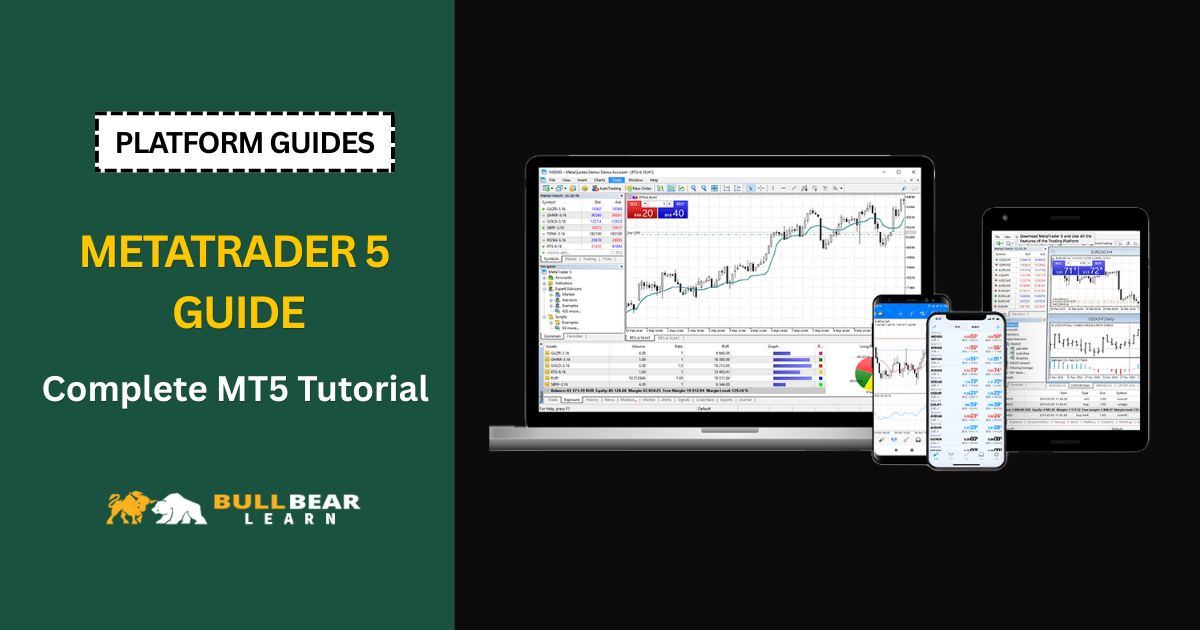
Main Areas of the MT5 Platform
Understanding the platform layout makes learning much easier.
Market Watch
Located on the left side of the platform.
This section displays:
- Currency pairs
- Bid prices
- Ask prices
- Market quotes
You can add or remove instruments depending on your broker.
Navigator
The Navigator window contains:
- Trading accounts
- Indicators
- Expert Advisors (EAs)
- Scripts
Think of it as the platform’s toolbox.
Chart Window
The chart window is where most analysis takes place.
You can:
- Draw trend lines
- Add indicators
- Analyze price action
- Place trades
Toolbox
Located at the bottom.
This section displays:
- Open positions
- Account history
- Journal logs
- Alerts
How to Open an MT5 Account
Before using MT5, you need a broker account.
The process is usually:
- Choose a broker
- Register an account
- Complete verification
- Open an MT5 trading account
- Receive login credentials
Once completed, you can connect the account to MT5.
How to Download MT5
Most brokers provide a direct MT5 download link.
The process is straightforward:
- Visit your broker’s website
- Download MetaTrader 5
- Run the installer
- Complete installation
- Log in using broker credentials
The entire process usually takes less than five minutes.
How to Log In to MT5
After installation:
- Open MT5
- Select “Login to Trade Account”
- Enter account number
- Enter password
- Select server provided by broker
Once connected, you should see real-time market prices.
How to Open Your First Chart
To open a chart:
- Open Market Watch
- Right-click a currency pair
- Select “Chart Window”
You can open multiple charts simultaneously.
Popular beginner pairs include:
- EUR/USD
- GBP/USD
- USD/JPY
- AUD/USD
Understanding Timeframes
A timeframe determines how much market activity each candle represents.
Common timeframes:
M5
Each candle represents 5 minutes.
M15
Each candle represents 15 minutes.
H1
Each candle represents 1 hour.
H4
Each candle represents 4 hours.
Daily
Each candle represents one day.
Beginners often find H1 and H4 easier to analyze than very short-term charts.
Adding Indicators in MT5
Indicators help traders analyze price movements.
Popular beginner indicators include:
- Moving Average
- RSI
- MACD
- Bollinger Bands
To add an indicator:
- Click Insert
- Select Indicators
- Choose the indicator
- Adjust settings
- Apply to chart
Avoid using too many indicators at once.
How to Place a Trade
To place a trade:
- Click New Order
- Select trade volume
- Choose Buy or Sell
- Set Stop Loss
- Set Take Profit
- Confirm order
The position will appear in the Toolbox window.
Always define risk before entering a trade.
Risk Management on MT5
The platform makes trading easy.
Unfortunately, it also makes losing money easy.
Before every trade:
- Calculate position size
- Use stop loss
- Limit risk per trade
- Avoid overleveraging
Professional traders focus on protecting capital first.
Common MT5 Beginner Mistakes
Trading Without Stop Loss
One of the fastest ways to damage an account.
Overloading Charts
Too many indicators create confusion.
Using Excessive Leverage
Leverage increases both profits and losses.
Trading Without a Plan
Random entries rarely produce consistent results.
Is MT5 Good for Beginners?
Yes.
MT5 offers a balance between simplicity and professional functionality.
As your skills improve, the platform grows with you.
You can start with basic chart analysis and eventually move into:
- Advanced technical analysis
- Automated trading
- Strategy testing
- Portfolio management
Final Thoughts
MetaTrader 5 is one of the most powerful and beginner-friendly trading platforms available today.
Learning MT5 is not about mastering every feature immediately. Instead, focus on understanding the core functions:
- Charts
- Orders
- Indicators
- Risk management
Once you become comfortable with these basics, the rest becomes much easier.
The goal is not simply to learn the platform.
The goal is to use the platform to become a better trader.